
Introduction
Logo Redraw
Download and read the logo redraw tutorial “LogoRedraw.pdf.” This document will describe how to do the following:
- How to match a font in an image
- Placing a logo as a template in Illustrator
- Tracing a logo and using the pathfinder
- How to use the Pen tool in Illustrator
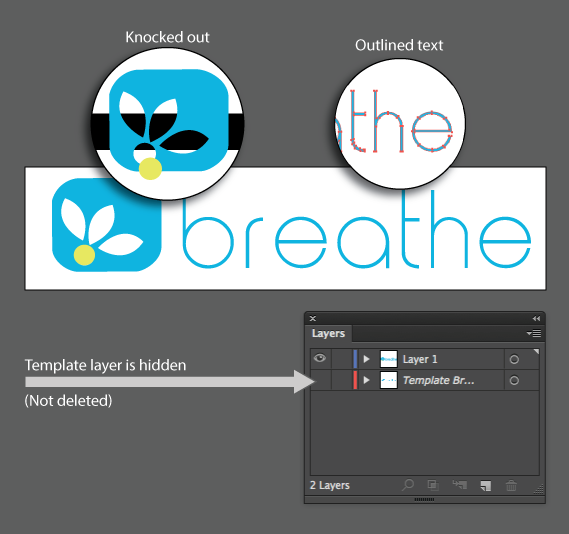
Download and recreate the Breathe logo jpg “Breathe.jpg.” Be sure to do the following:
- Create your text into outlines (Right click text -> “create outlines”)
- Knock out all shapes (If you move the shapes you should be able to see through the background object)
- Hide the template (Don’t delete it. Just turn off the layer visibility)
- Save your file as an .eps (You will be submitting an .eps file to me … not a PDF or .AI file)
Example (3 Page PDF)
Finished Style Guide
Page 3 – Style Guide B:
This is the last page of your style guide. Add this page to your already created 2 page pitch book. This page should include, but is not limited to, the following elements:
- Color logo
- B&W version of the logo
- Make sure that your logo has a copyright or trademark icon
- Logo size recommendations
- Logo placement recommendations
Remember that you don’t have to recreate your logo. You do however need to find a high quality version of your logo. I would suggest searching for the words “vector” + your company name + “free download”. You could also search for PDF files that might have the logo. Often PDF files will have vector images that you can extract using Illustrator. Finally I would also check on https://www.brandsoftheworld.com/
Submission
This activity can be included in any of your updates.
Recent Comments